


Spectrum TV
2.954.00 Reviews
App Specs
- Version
- 21.4.0
- Updated On
- License
- Free
- Downloads
- 100,000+
- Developer
- Charter/Spectrum
- Categories
- Entertainment
- Platform
- Android
Screenshots
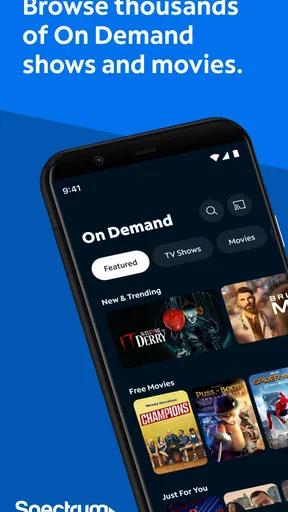
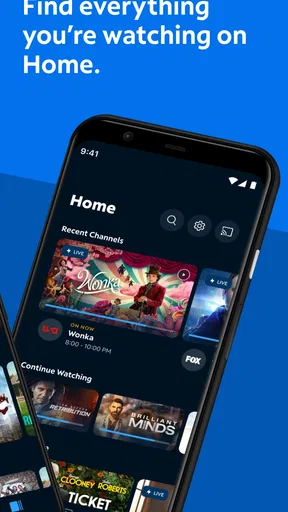
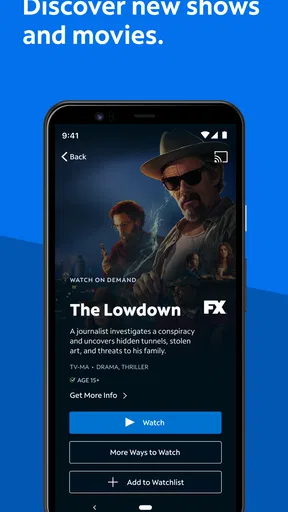
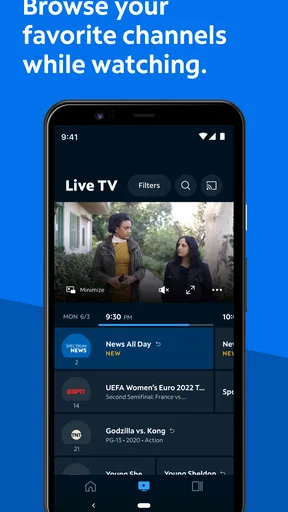
 Analysis by AppCompare
My first impression of Spectrum TV is that it makes the most sense when you want familiar television on a screen you already use. It is an entertainment app from Charter/Spectrum, and its central appeal is straightforward: access live programming and on-demand viewing through an Android TV. That focus matters. I would think of it less as a replacement for every streaming service and more as a way to bring a Spectrum TV experience into a connected living-room setup.
Where the connection shapes the experience
Because the app is built around streaming, the quality of your home network is part of the viewing experience, not a background detail. A stable connection makes it easier to settle into a live program or browse for something to watch. If several people are using the same network, or the connection is unreliable, playback may feel less dependable. I would check that the Android TV is connected properly before judging the app itself, especially if a program takes time to start or picture quality changes.
That dependence also affects how I would use it for an important live moment. If I planned to watch a game, news coverage, or a program that starts at a specific time, I would open the app early enough to confirm that the TV and connection are ready. This is a small habit, but it avoids discovering a connection issue at the exact moment I want to watch. For casual viewing, a brief interruption is less disruptive; for a live event, it can mean missing something I cannot simply replay at the same moment.
A fit for the living room, not every mobile situation
The Android TV focus is useful if you want to watch on a television rather than spend the evening holding a phone. It also makes the app a more natural fit for shared viewing: one person can choose a program and everyone can watch from the couch. The store information describes the Android TV experience, so I would not assume that every feature or workflow works identically on a phone, tablet, or other television platform.
That distinction is worth keeping in mind if you are choosing an app mainly for travel or quick viewing away from home. A television-centered service is most convenient when you can sit down in front of a compatible screen with a reliable connection. If your priority is watching anywhere, compare the device support and viewing arrangements of the services you already use before building your routine around this one. I would not choose it solely on the assumption that a living-room experience will translate neatly to every mobile context.
A realistic use case is a household that wants to put on live TV after dinner without switching between several entertainment apps. One person can browse for a live program while another is getting settled, then move to on-demand viewing when there is nothing appealing on at that moment. The convenience is less about having every possible show in one place and more about having a familiar television-style option ready on the Android TV. If the household mainly watches short clips or chooses individual subscription libraries, this may not become the app they open most often.
What to do when playback does not cooperate
When a stream stalls or does not begin, I would start with the basics rather than repeatedly selecting the same program: check whether the television still has a connection, give the app a moment, and then try again. If other internet services on the TV are also struggling, the network is a more likely source of trouble than the program menu. If the issue seems limited to this app, closing and reopening it is a sensible next step. These checks are simple, but they help distinguish a general connection problem from an app-specific one.
Worth Reading Before You Choose

EA SPORTS FC Mobile 26 Is a Bigger Football Game, but It Takes Time

Flipboard Shows What News Apps Must Do Beyond the Feed

Switching to Android Auto Means Rethinking Your Driving Routine

Google Calendar Makes a Crowded Week Easier to Manage

Ludo King Makes the Most of the Minutes Between Plans

Baby Panda World Brings Quick Play to Modern Phones, but Its Game Library Feels Busy
Live and on-demand viewing also fail differently from the viewer’s point of view. A live stream is time-sensitive, so reconnecting may mean rejoining after a moment has passed. On-demand viewing is more forgiving because you can usually try again when the connection is back. I would keep that trade-off in mind when deciding whether to rely on a live broadcast during a busy network period. The app is most comfortable when the connection is steady; it cannot make an unstable network behave like a dependable one.
It is also sensible to check whether the Android TV and app are ready before troubleshooting more deeply. The current version is 21.1.0, and the minimum operating system requirement is Android 10. If an older television does not meet that requirement, compatibility may be the first thing to investigate. Knowing that can save time: repeated attempts to fix playback will not help if the device itself falls outside the app’s requirements.
Choosing when and how to stream
For anyone mindful of mobile data, the clearest practical choice is to use a trusted Wi-Fi connection when watching on a network-connected device. Streaming video can put sustained demand on a connection, so I would avoid treating a mobile connection as unlimited unless I already know the terms of my plan. This is particularly relevant for longer programs: a quick check-in and a full evening of viewing are very different habits, even if they use the same app.
On a shared home network, timing can matter too. If a stream becomes less smooth while other people are video calling, gaming, or watching something else, I would test again at a quieter time before deciding that the app is consistently poor. That comparison gives a more useful picture of whether the issue follows the app or simply reflects competition for bandwidth. For a household with frequent simultaneous use, the network’s capacity may matter as much as the television app’s interface.
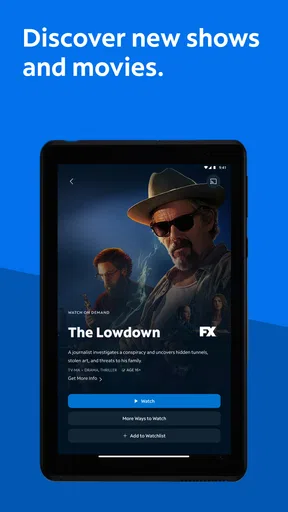
One useful way to avoid aimless browsing is to decide whether you want live television or something on demand before opening the app. That narrows the search and makes the session more intentional, especially when you have limited time. If you are unsure what to watch, browsing can still be part of the fun, but I would not expect any search tool to solve the broader problem of having too many choices. A clear viewing goal is often the quickest route from opening the app to actually watching.
Getting Started with Spectrum TV
First things first, Spectrum TV is available on both Android and iOS, so no one's left out in the digital cold! Downloading and installing the app was a breeze. No glitches, no long waits, just a quick setup and I was ready to explore.
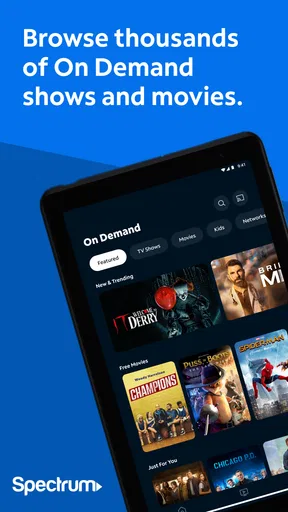
The app offers a variety of channels and on-demand content, which is a lifesaver for someone like me who's juggling multiple streaming services. It's like having a miniature cable box right in your pocket. The interface is clean and intuitive, which I appreciate because who has time to read a manual these days?
Features Galore
One of the things that stand out is the ability to watch live TV. Gone are the days of missing out on live events because you're stuck in traffic or waiting for your coffee. With Spectrum TV, you can tune in live, wherever you are. Plus, the DVR feature means you can record shows to watch later. Hello, binge-watching Sundays!
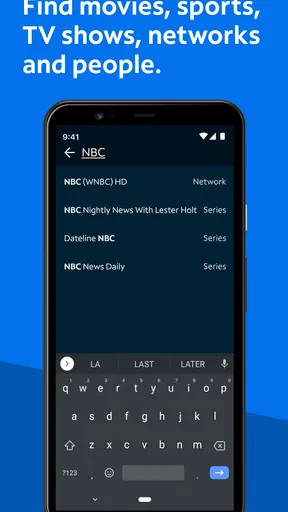
The app also includes a handy search function. You can look up your favorite shows or movies by title, actor, or genre. This feature is a game-changer for indecisive folks like me who spend more time searching for something to watch than actually watching.
User Experience
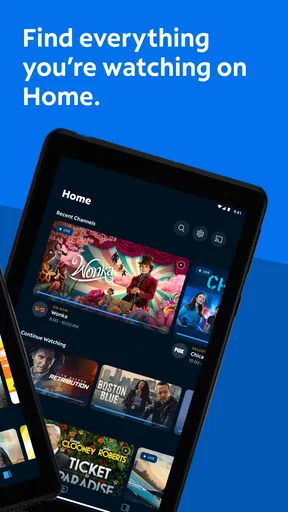
Now, let's talk about the user experience. Navigating through the app is a smooth ride. The menu is organized neatly with categories like Live TV, On Demand, and My Library, making it easy to switch between what’s available live and what’s waiting for you in your queue.
Streaming quality is another highlight. I tested it on both Wi-Fi and mobile data, and the streaming was consistent. No buffering nightmares here! It’s optimized to adjust the quality based on your connection, so you’re always getting the best possible viewing experience.
Is It Worth It?
So, is Spectrum TV the answer to all your streaming needs? If you’re already a Spectrum customer, this app is a no-brainer. It integrates seamlessly with your existing service, and the convenience factor is off the charts. For those who aren’t, it’s still a solid contender if you’re looking for a comprehensive streaming app.
In a world saturated with streaming options, the app manages to stand out by offering a reliable and feature-rich experience. It’s not just another app; it’s like carrying a whole entertainment system in your pocket.
So go ahead, give it a whirl! Whether you’re a die-hard live TV fan or someone who loves having a library of on-demand content, Spectrum TV might just be your new best friend.
Who is likely to get the most from it?
I would put this app high on the list for someone who already uses Spectrum TV and wants to bring that viewing experience to an Android TV. The fit is strongest when live channels are part of your normal routine and you also appreciate having on-demand choices nearby. It can be a convenient shared-screen option for a household that likes to browse and watch together, rather than a service everyone uses separately on personal devices.
Someone who is not a Spectrum customer should be more cautious. The app is free to install, but that does not mean the viewing service itself is automatically available to every person without an existing relationship or eligibility. I would check whether your account and service support the viewing you want before treating it as a stand-alone alternative to subscription streaming apps. That is the practical question to settle first, not the ease of downloading it.
How it compares with other ways to watch
Compared with subscription services built mainly around on-demand catalogs, this app’s distinctive role is its connection to live television. That makes it more appealing when you want scheduled programming or a channel-based way to choose what is on, while a catalog-first service may suit you better if you prefer to pick a specific series and watch at your own pace. Neither approach is automatically better; it depends on whether your viewing starts with a channel or a title.
It also differs from using a phone as your primary screen. A phone is handy for brief viewing when you are away from home, but an Android TV is better suited to a longer, shared session. If your main goal is a broad collection of shows from multiple independent providers, you may prefer separate services that specialize in their own libraries. If your main goal is to access Spectrum television on a supported TV, this app has a more focused purpose.
The app is free, has an Everyone content rating, and has been installed over 50,000 times. Its average rating is 2.5 from around 86 ratings, so I would treat that as a reason to keep expectations measured rather than as proof that every person will have the same experience. It is also useful context when comparing it with alternatives: test it against your own device, connection, and viewing habits instead of assuming that popularity or a low score alone settles the decision.
Small checks that can prevent a frustrating evening
Before settling in, I would confirm that the Android TV meets the Android 10 minimum requirement and that the app is updated. Then I would open it while there is still time to address a connection or sign-in problem, rather than waiting until the start of a program. These are unglamorous checks, but they are especially valuable for a live event, where troubleshooting after the broadcast has begun does not give back the moments you missed.
If several people share the TV, it helps to agree on what kind of viewing you want before browsing. Live television and on-demand choices invite different habits: one follows what is airing, while the other starts with a particular title or mood. A quick decision can keep the group from spending the whole evening scrolling. Search is useful when you have a name or genre in mind; broad browsing is less efficient when nobody has any preference.
Charter/Spectrum’s entertainment app is not a universal answer for every screen or every viewing style, and I would not recommend it as a substitute for checking compatibility or service access first. But for a Spectrum household with a supported Android TV, a dependable network, and an appetite for live programming alongside on-demand viewing, it has a clear place. I would try it with a specific viewing routine in mind, then judge whether it earns a regular spot beside the other services on your TV.
Pros
- Wide range of channels available.
- User-friendly interface and navigation.
- On-demand content and live TV options.
- Parental controls for family safety.
- Supports multiple devices and platforms.
Cons
- Requires a Spectrum subscription.
- Limited access outside the home network.
- Occasional streaming interruptions.
- Ads present in some content.
- Not all channels available in HD.
FAQs for Spectrum TV
What is Spectrum TV and what does it offer?
Spectrum TV is a streaming app that allows users to watch live TV, on-demand content, and DVR recordings on various devices. It offers a broad range of channels, including local networks, sports, and premium content. The app is designed to complement Spectrum's cable services, providing flexibility and accessibility for users.
Is Spectrum TV available for all devices?
Spectrum TV is compatible with a variety of devices, including smartphones, tablets, smart TVs, and streaming devices such as Roku and Apple TV. However, compatibility may vary based on the device model and operating system version, so it is advisable to check the specific requirements for your device before downloading.
Do I need a Spectrum cable subscription to use the app?
Yes, the Spectrum TV app is designed to be used by Spectrum cable subscribers. While the app itself is free to download, access to its content requires an active Spectrum cable subscription. This integration ensures that users can enjoy the full range of channels and features available through Spectrum's services.
Can I use Spectrum TV outside the United States?
Spectrum TV is primarily intended for use within the United States. Some features, such as live TV streaming, may be restricted outside the country due to licensing agreements. If you frequently travel abroad, it might be beneficial to explore alternative streaming options that offer international access.
How does Spectrum TV handle data usage and streaming quality?
Spectrum TV offers various streaming quality settings to accommodate different internet speeds and data plans. Users can choose between standard and high-definition streams, helping to manage data usage effectively. For the best experience, a stable and fast internet connection is recommended, especially for streaming HD content.


